
Mobile Invoicing App Benefits for Freelancers
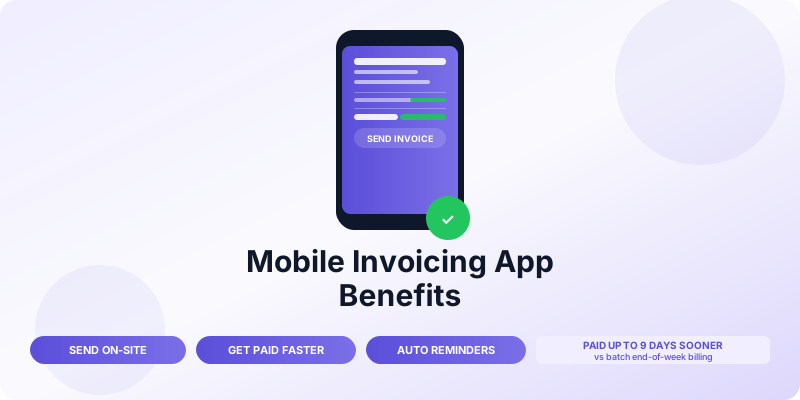
Most invoicing delays do not happen because a client refuses to pay. They happen because the invoice was never sent — not while the job was fresh, not from the job site, not before the next project started. A mobile invoicing app fixes that. You send the invoice the moment the work is done, from wherever you are, and payment follows faster.
Here is what you actually gain from switching to mobile invoicing, backed by what matters most when you are running a one- or two-person business.
Send Invoices From Anywhere, Immediately
The single biggest advantage of a mobile invoicing app is timing. With a desktop-only workflow, invoices get batched: you finish a job on Tuesday, get to your computer Friday, and send the invoice that afternoon. By then, four days have passed. Your client has mentally moved on. Payment takes longer.
With a mobile app, you send the invoice from your phone before you leave the client's location. They receive it while the work is still top of mind. Response and payment rates improve significantly when the invoice arrives immediately after delivery.
For tradespeople, contractors, photographers, consultants, and anyone else who does work at a client's site, mobile invoicing is not a convenience — it is a direct revenue improvement.
Get Paid Faster
Faster invoice delivery leads to faster payment. Studies of small business invoicing data consistently show that invoices sent on the same day as delivery are paid several days earlier than invoices sent at the end of the week or on a batch billing schedule.
The mechanism is straightforward: a client who receives an invoice immediately after a service is delivered pays it while the purchase is salient. A client who receives an invoice five days later has already mentally filed the work away, and payment becomes one more task on a growing list.
For a freelancer billing $8,000 per month, shaving even five days off average payment time is the difference between receiving that money in the current month or the following one.
Create Professional Invoices in Under a Minute
Mobile invoicing apps use saved templates so you are not rebuilding the invoice from scratch every time. Your business name, address, logo, payment terms, and line item descriptions are stored. Creating a new invoice means selecting the client, entering the amount, and hitting send.
A professional invoice includes:
- Your business details and logo
- Client name and contact
- Invoice number, issue date, and due date
- Itemized services with amounts
- Total and payment terms
- Payment methods accepted
A good mobile app handles all of this with a clean interface that works on a phone screen. The result looks polished to clients and is consistent across every invoice you send.
Consistency matters. Clients who receive professional-looking invoices pay more reliably than clients who receive inconsistently formatted documents. The invoice is part of how they perceive your business.
Track Invoice Status in Real Time
Mobile invoicing apps show you exactly where every invoice stands: sent, viewed, overdue, paid. You know at a glance which clients have opened the invoice and which have not yet looked at it. That visibility changes how you follow up.
Instead of waiting until an invoice is 14 days overdue and wondering whether the client even received it, you can see it was opened three days ago and not yet paid — which prompts a short, direct follow-up. Or you can see it was never opened, which means it might have gone to spam and deserves a different approach.
This real-time tracking replaces the mental overhead of keeping a spreadsheet of what is outstanding. Your phone tells you.
Reduce Billing Errors
Manual invoicing — typing amounts, client details, and line items fresh every time — introduces errors. A mistyped total, a wrong date, an incorrect client address, a tax calculation done in your head: these create friction and delay. Clients who receive an invoice with an error take longer to pay it because the error has to be resolved first.
Mobile apps eliminate most of these errors because your client details, service rates, and tax settings are stored. The calculation is automatic. The invoice number increments without you having to check what the last one was.
Fewer errors means fewer back-and-forth emails, faster payment, and a more professional impression.
Accept Payments On the Spot
Many mobile invoicing apps connect directly to payment processors, so a client can pay the invoice immediately from their phone the moment they receive it. Some apps allow you to present the invoice at the end of a job and have the client pay right there — similar to a point-of-sale transaction but for service businesses.
This removes the entire payment delay cycle. The client does not need to log into a banking portal, write a check, or set up a bank transfer later. They tap, enter a card number or approve a bank payment, and you receive a notification confirming payment.
For service businesses where jobs are small to mid-size (under $2,000), on-the-spot payment via mobile app is increasingly standard.
Keep Financial Records Automatically
Every invoice you create and every payment you receive is logged automatically. At the end of the month, you have a complete record of what you billed and what you collected. At tax time, you can export that data rather than digging through email threads and spreadsheets.
Good mobile invoicing apps also track:
- Outstanding receivables (who still owes you money)
- Payment history per client
- Revenue totals by period
- Overdue invoices and their age
This built-in record keeping is particularly valuable for sole proprietors who prepare their own Schedule C. Your invoicing app becomes your primary income record, and you need it to be accurate and complete. See invoice record keeping best practices for the full documentation approach.
Send Follow-Up Reminders Without Manual Work
Late payments are common — more than 70% of freelancers deal with them regularly. Mobile invoicing apps let you set automated reminders: a reminder two days before the due date, one on the due date, and a follow-up sequence for overdue invoices.
You configure this once. After that, the app handles the reminder schedule for every invoice automatically. You are not spending mental energy tracking who needs a nudge; the app does it for you.
For manual follow-up strategies and email templates when automated reminders have not worked, see how to follow up on unpaid invoices.
Work From Any Device
Cloud-based mobile invoicing means your data is not locked to one device. You create invoices on your phone at the job site, check status on your tablet at home, and export records to your accountant from your laptop. Everything stays in sync.
This flexibility matters for small businesses that do not have a fixed office. Your invoicing system goes wherever you go.
What to Look for in a Mobile Invoicing App
Not all apps are equal. When evaluating options, look for:
- iPhone and Android support — most clients and freelancers use both ecosystems
- Clean invoice templates that look professional on any device
- Client and item storage — you should not retype details every time
- Automatic invoice numbering
- Payment processing integration — the ability to accept card or bank payments in-app
- Overdue reminders — automated follow-up without manual work
- Data export — for accountants or your own tax records
The Invoices Customers app for iPhone covers this entire list. You can create a professional invoice, send it to a client, and track payment status from your phone — from the job site or anywhere else. For a full overview of the best options, see best invoicing apps for iPhone.
The Bottom Line
Switching to mobile invoicing is not a software preference — it is a cash flow decision. Sending invoices immediately, tracking their status, and automating follow-up adds up to getting paid faster on every job. For a freelancer or small business billing $5,000 to $20,000 per month, that timing difference is meaningful.
The setup takes less than an hour. After that, you spend less time on billing admin and more time on work that actually earns revenue.
