
PDF Invoice Generator Mobile: Create Invoices Fast
You just finished a job and you want to get paid. The fastest path from completed work to money in your account starts with one thing: a professional PDF invoice sent from your phone. A PDF invoice generator mobile app puts that power in your pocket, so you never wait until you're back at a desk to bill a client.
Whether you're a freelancer wrapping up a project, a contractor leaving a job site, or a small business owner juggling ten things at once, mobile PDF invoicing changes how quickly you collect payment. Here's everything you need to know about choosing and using the right tool.
Why PDF Is the Standard for Mobile Invoices
PDF isn't just a file format. It's the universal language of professional documents. When you send a PDF invoice from your phone, it looks identical on every device your client opens it on — laptop, tablet, phone, or desktop. No broken formatting, no missing fonts, no layout shifts.
Compare that to sending an invoice as a Word document or a plain email with line items. Word files can render differently depending on your client's software. Plain-text invoices look unprofessional and are easy to lose in a crowded inbox. PDF solves both problems.
There's a practical benefit too. PDF invoices are easy to archive, search, and print. Your clients' accountants prefer them because PDFs integrate cleanly with bookkeeping systems. When tax season arrives, every invoice is exactly where it should be, looking exactly how you sent it.
For more on what belongs in every invoice you create, check out our guide on what to include on an invoice.
What to Look for in a Mobile PDF Invoice Generator
Not every invoicing app is built the same. Some look great in screenshots but fall apart when you need to create a real invoice under real conditions. Here's what actually matters when you're choosing a PDF invoice generator for your phone.
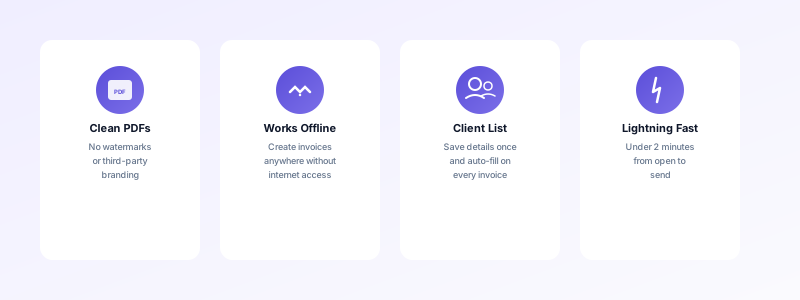
Clean PDF output. Your invoices should export as polished, watermark-free PDFs. If an app slaps its own branding on your documents, it undermines your professionalism. The invoice should look like it came from your business, not from a third-party tool.
Offline capability. You won't always have reliable internet — especially on job sites, in rural areas, or while traveling. The best mobile invoice generators work offline and sync when you reconnect. This means you can create and save invoices anywhere, without worrying about dropped connections.
Client management. Retyping client details on every invoice is a waste of time. Look for an app that saves client names, addresses, email addresses, and tax information. Select a client from your list and their details populate automatically.
Speed and simplicity. If it takes more than two minutes to create an invoice, the app is too complicated. You want to open the app, pick a client, add line items, and generate a PDF. No account creation, no mandatory cloud sync, no feature overload.
Direct send and print. Once your PDF is generated, you should be able to email it or print it directly from the app. Extra steps mean extra friction, and friction means delayed invoices.
How to Create a PDF Invoice on Your Phone in Under Two Minutes
The process is simpler than most people expect. Here's a step-by-step walkthrough using a well-designed mobile invoice generator.
Step 1: Open the app and tap "New Invoice." A good app drops you straight into a blank invoice form with your business details already filled in. No login screens, no dashboard clutter.
Step 2: Select your client. If you've saved the client before, pick them from your list. Their name, billing address, and contact information fill in automatically. For new clients, enter their details once and save them for future invoices.
Step 3: Add your line items. Enter each service or product with a description, quantity, unit price, and any applicable tax. If you've saved item templates — like "Consultation - 1 Hour" at your standard rate — select them instead of typing from scratch.
Step 4: Set payment terms. Choose your due date or select standard terms like Net 15 or Net 30. Clear payment terms reduce confusion and speed up payment. If you're unsure which terms to use, our post on how to create professional invoices covers the details.
Step 5: Review and generate. Preview the invoice to confirm everything looks right. Then tap to generate the PDF. The result should be a clean, branded document ready to send.
Step 6: Send or print. Email the PDF directly from the app, share it through a messaging app, or print it on the spot if you have a portable printer. The fewer steps between generation and delivery, the faster you get paid.
The entire process takes under two minutes once your business details and client list are set up.
Common Mistakes When Using Mobile Invoice Generators
Even the simplest tools can trip you up if you're not paying attention. Here are the most frequent mistakes people make with mobile PDF invoicing — and how to avoid them.
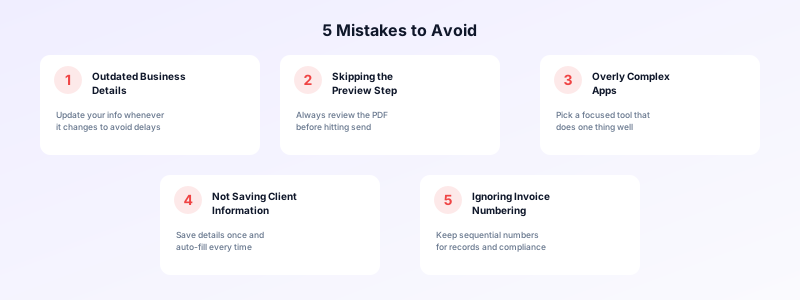
Forgetting to update your business details. If you change your phone number, address, or business name, update it in the app immediately. Sending invoices with outdated information creates confusion and can delay payment.
Skipping the preview step. Always review the PDF before sending. A misplaced decimal or a wrong client address is harder to fix after the invoice is already in your client's inbox. The preview takes five seconds and prevents embarrassing corrections.
Using overly complicated apps. Some invoice generators try to be accounting suites, project management tools, and CRMs all at once. If you just need to create and send professional PDF invoices, pick a focused tool that does that one thing well. Complexity leads to errors and wasted time.
Not saving client information. Every minute you spend retyping a client's address is a minute you could spend on billable work. Save every client's details the first time you invoice them.
Ignoring invoice numbering. A sequential, consistent invoice numbering system matters for your records and your client's. Most good apps handle this automatically, but check that your numbers are sequential and not duplicated. Learn more about organizing your documents in our guide on sending invoices from your phone.
Why Invoices Customers Is Built for Mobile PDF Invoicing
If you're looking for a PDF invoice generator that's genuinely designed for your phone, Invoices Customers checks every box on the list above — and then some.
You don't need to create an account or sign up for anything. Open the app and start building your first invoice immediately. Your business details, client list, and invoice history all stay on your device. No data collection, no cloud dependency, no subscription required to get started.
The app generates clean, professional PDFs with no watermarks. You can send invoices by email or print them directly. Client details save automatically, so repeat invoices take seconds instead of minutes. And because Invoices Customers works completely offline, you can invoice from a job site with zero cell service and send the PDF when you're back in range.
For freelancers and small business owners who need a fast, private, and professional way to create PDF invoices on mobile, Invoices Customers delivers exactly that.
Get Started with Mobile PDF Invoicing Today
The gap between finishing work and getting paid should be as small as possible. A PDF invoice generator on your mobile phone closes that gap. You bill on the spot, the client receives a professional document instantly, and payment follows faster than it would if you waited days to sit down at a computer.
Pick an app that creates clean PDFs, saves your client info, works offline, and doesn't waste your time with unnecessary features. Set up your business details and client list once. Then every future invoice is a two-minute task instead of a twenty-minute chore.
Your phone is already the tool you carry everywhere. Make it the tool that gets you paid, too. Download Invoices Customers and send your first professional PDF invoice in minutes.
