
Time Tracking for Accurate Invoicing: A Guide
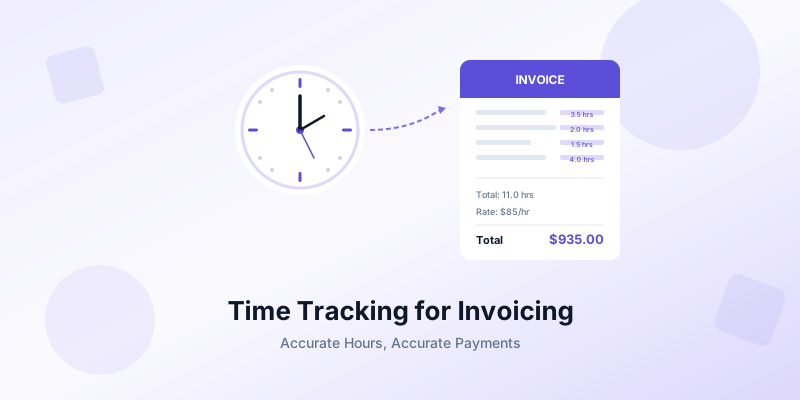
Every freelancer has been there. The project wraps up, you sit down to write the invoice, and you realize you have no idea how many hours you actually spent. You guess. You round down because the total feels too high. You hit send and quietly accept that you just left money on the table. Time tracking for accurate invoicing solves this problem — and it's simpler than you think.
Inaccurate invoicing is one of the biggest silent profit killers for freelancers and small business owners. The fix requires discipline in practice: track your time consistently and connect those records directly to your invoices. This guide walks you through exactly how to build a time tracking system that makes every invoice accurate, defensible, and fair.
Why Inaccurate Invoicing Costs You More Than You Think
Most freelancers underestimate their working hours rather than overestimate them. Research consistently shows that same-day time entries capture roughly 90% of billable work, while entries reconstructed after a week may capture as little as 30%. Over twelve months, that gap translates to thousands of dollars in unbilled revenue.
But lost revenue is only part of the problem. Inaccurate invoices erode client trust in both directions. Overcharge a client and you risk a dispute that damages the relationship. Undercharge and you train clients to expect rates that don't reflect your actual effort. Either way, guesswork makes your freelance invoice template less reliable.
There's also a strategic cost. Without accurate time records, you can't evaluate which projects are profitable and which ones are draining your energy for too little return. You end up saying yes to the wrong work because you genuinely don't know what your real effective hourly rate is.
How to Track Time Effectively as a Freelancer
Effective time tracking for accurate invoicing doesn't require complex software or rigid routines. It requires a method you'll actually use every day. Here are the core principles.
Track in real time, not from memory. Start a timer when you begin working and stop it when you pause. Reconstructing your day after the fact introduces errors that compound over weeks and months. Even a simple phone timer beats end-of-day guesswork.
Log time against specific clients and projects. Every entry should answer three questions: who is this for, what project does it belong to, and what task did you perform? This structure turns raw hours into invoice-ready line items.
Capture the small tasks. The five-minute email reply, the ten-minute revision, the unplanned phone call that runs twenty minutes — these micro-tasks slip through the cracks constantly. A freelancer billing 40 hours a week might only invoice 35 if they ignore these fragments. Over a year, those five lost hours per week add up to roughly 250 unbilled hours.
Separate billable from non-billable hours. Marketing, admin, invoicing, and business development are real work but typically aren't billed to clients. Tracking them separately gives you an accurate picture of your utilization rate and prevents you from accidentally padding client invoices with internal tasks.
Add brief descriptions to every entry. A log that says "3 hours — website work" is useless three weeks later. A log that says "3 hours — built responsive navigation menu for homepage redesign" tells you and your client exactly what happened.
Turning Tracked Time Into Accurate Invoices
Logging hours is only valuable if those records flow cleanly into your invoices. Here's how to bridge the gap between your time log and your billing.
Review entries before invoicing. At the end of each billing period, scan your time log for duplicates, missing descriptions, or entries tagged to the wrong project. A five-minute review prevents embarrassing corrections after you send the invoice.
Group related tasks into clear line items. Clients don't need to see thirty individual time entries. Consolidate related work into meaningful categories: "Website design — 12 hours," "Content revisions — 4 hours," "Client meetings — 2 hours." This keeps the invoice clean while the detailed log stays available if questions arise.
Include enough detail to justify the total. The line items on your invoice should be specific enough that a client can see what they're paying for without asking follow-up questions. When you invoice as a freelancer, transparency builds trust and reduces payment delays.
Match your invoice period to your tracking cadence. If you track time daily, invoice weekly or biweekly. If you track weekly, invoice monthly. The shorter the gap between work and invoicing, the fewer discrepancies will slip through.
Keep your raw time log as backup. If a client ever questions a charge, your detailed time records serve as documentation. Being able to show exactly when you worked and what you accomplished turns a potential dispute into a quick resolution.
Using Time Data to Price Projects Better
Time tracking for accurate invoicing has a powerful secondary benefit: it gives you the data you need to price freelance services with confidence instead of guesswork.
Calculate your true effective hourly rate. Take the total fee for a completed project and divide it by the actual hours you spent — including meetings, revisions, and communication. A $3,000 project that took 20 hours earned you $150/hour. The same project at 50 hours earned you $60/hour. Without time tracking, you'd never know the difference.
Identify your most profitable work. After tracking for a few months, patterns emerge. You might discover that logo design projects consistently earn you $120/hour while social media packages average $55/hour. This data helps you focus on the work that generates the highest return.
Improve your estimates. When a new prospect asks for a quote, your time records give you real benchmarks. Instead of guessing that a website redesign takes 30 hours, you can look at three similar past projects and see they averaged 38 hours. Your quote becomes accurate, your margin is protected, and the client gets a realistic timeline.
Spot scope creep early. When you track time against a project budget, you can see when you're approaching the estimated hours well before you blow past them. This gives you the chance to either adjust the scope with the client or negotiate additional compensation before the project ends. Tools like Invoices Customers make it easy to create detailed line items that reflect your tracked hours, so your invoices always match the work you actually delivered.
Building a Sustainable Time Tracking Habit
The best time tracking system is the one you actually use. Here's how to make the habit stick without feeling like you're adding another chore to your day.
Start with just billable time. If tracking everything feels overwhelming, begin by logging only client-facing work. Once that becomes automatic, expand to non-billable tasks. Partial data is infinitely more useful than no data.
Set daily review reminders. Spend two minutes at the end of each workday reviewing and cleaning up your time entries. Fix any gaps while the day is still fresh. This small daily investment prevents the Friday afternoon scramble of trying to reconstruct an entire week.
Don't aim for perfection. Rounding to the nearest 15-minute increment is fine for most freelancers. The goal is a reliable record, not a forensic audit trail. If you spent roughly 45 minutes on a task, log 45 minutes and move on.
Use your phone. You're already carrying a timer everywhere. Use it. Whether you use a dedicated app or just your phone's built-in clock, the key is eliminating friction between starting work and starting the timer.
Review monthly trends. Once a month, look at where your hours went. How much of your time was billable? Which clients consumed the most hours? Where did you lose time to non-billable work? These insights help you make better business decisions and write more accurate invoices.
Accurate time tracking transforms your invoicing from guesswork into a system. Your invoices reflect real work, your clients trust the numbers, and you stop leaving money on the table. If you're ready to create professional invoices backed by solid time records, Invoices Customers makes it easy to build detailed, polished invoices right from your iPhone — no account needed, no learning curve, and your data stays on your device.
