
Invoice App for Contractors: What to Look For
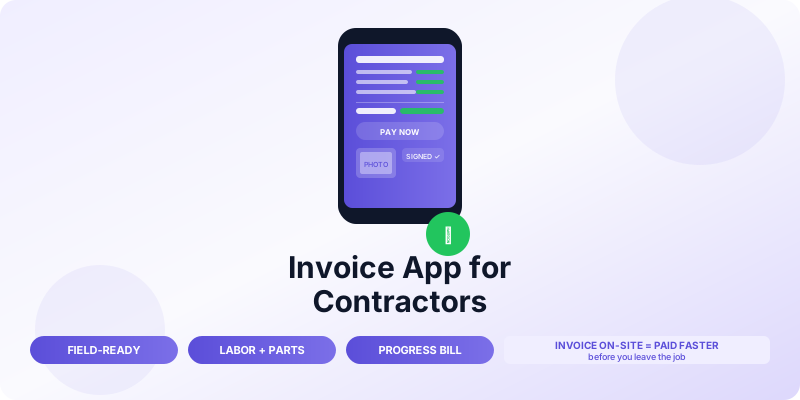
Contractors have different invoicing needs than freelancers or office-based businesses. You are working on-site, often without reliable internet. Your invoices include labor, materials, and markups. Projects span weeks or months with milestone billing. Clients range from homeowners paying by check to commercial property managers with structured AP processes.
A generic invoicing tool handles some of this. A good contractor invoice app handles all of it — and lets you create, send, and collect from your phone while you are still on the job site.
Here is what to look for and why each feature matters for contracting work.
Why Contractors Need a Specialized Invoice App
The core problem with generic invoicing tools for contractors is structure. A standard invoice has a description and a price. A contractor invoice needs to break down labor hours, materials with markups, subcontractor costs, permits, and any change orders — often across multiple phases of a project.
Getting that structure right matters for three reasons:
Clients understand what they are paying for. An itemized invoice showing "Electrical rough-in labor: 8 hours × $95 = $760" and "Materials: wire, connectors, panel — $340" is clear. A single line reading "Electrical work: $1,100" invites questions and disputes.
You can justify your pricing. When materials prices shift or a job takes longer than estimated, a detailed invoice is your documentation. Vague invoices lead to vague disputes.
Your records hold up at tax time. Itemized invoices make it straightforward to separate labor income from materials pass-through costs and to match your invoiced amounts against supplier receipts.
Essential Features for a Contractor Invoice App
Mobile-First, Offline-Capable
Contractors work in basements, crawl spaces, new construction sites, and rural areas with poor signal. Your invoice app needs to work offline — create and save invoices locally, then sync when you have connectivity. An app that requires constant internet is a liability in the field.
Mobile-first also means the interface is designed for a phone, not a shrunken desktop view. Creating a multi-line invoice with labor and materials should be fast and comfortable on a phone screen, not a frustrating experience that makes you wait until you are back at your truck.
Line Items for Labor, Materials, and Markup
Your invoice app needs to support multiple line item types and let you apply markup to materials separately from labor. A basic setup:
- Labor: rate × hours (e.g., $85/hr × 6 hr = $510)
- Materials: cost + markup percentage (e.g., $240 materials + 20% = $288)
- Subcontractor costs: pass-through or marked up
- Permit fees: usually passed through at cost
Not every app handles materials markup natively. If yours does not, you end up calculating manually and entering a single line — which loses the transparency clients expect.
Estimate-to-Invoice Conversion
Most contractor jobs start with an estimate. The best apps let you convert an accepted estimate directly to an invoice without retyping any information. You update the actuals (hours worked, materials used), mark it as an invoice, and send.
This saves significant time on every job and keeps your estimate and final invoice tied together in your records. If a client disputes the final amount, you can show them exactly what changed from the estimate and why. See how to convert an estimate to an invoice for the full workflow.
Progress Billing and Milestone Invoices
Long projects need milestone invoices. A bathroom renovation spanning three weeks should not have one invoice at the end — by then you have spent weeks of labor and materials costs with no cash coming in.
A good contractor app lets you create multiple invoices for a single project, tracking the total contract value and what has been billed to date. Each invoice shows the client the full project scope, prior billing, the current amount due, and the balance remaining. This is standard practice in construction and keeps cash flowing throughout the job.
For detailed guidance on setting this up, see progress billing for construction projects.
Change Order Tracking
Change orders are where contractor invoicing gets complicated. The client asks for something extra mid-job. You agree on a price. The work happens. Three weeks later the client does not remember agreeing to the extra charge.
An app with change order support lets you document each addition to the scope, get client sign-off (even via a text message confirmation you attach), and invoice it separately or add it to the final invoice with clear documentation. This protects you and keeps client relationships clean.
Photo Attachments
The ability to attach photos to an invoice is more useful than it sounds. A photo of completed work attached to the invoice serves three purposes: it confirms delivery, it reduces disputes about whether the work was done, and it gives clients something to reference when approving payment.
Before-and-after photos attached to an invoice are particularly effective for renovation and repair work. Clients who see the completed result while reviewing the invoice pay faster and with fewer questions.
Client Signature Collection
For larger jobs, collecting a client signature on the invoice or completion document before you leave the site removes the most common dispute: "I did not know the final amount." An app that lets you capture a signature on-screen or via a link gives you documented client acknowledgment tied to the specific invoice.
Multiple Payment Methods
The faster a client can pay, the faster you get paid. Your app should support:
- Credit and debit card (especially for residential clients)
- Bank transfer / ACH (preferred by commercial clients)
- Payment links that work from any device
Offering card payment adds processing fees (typically 2.5–3%), but for residential clients who otherwise pay by check on a 30-day delay, the speed often justifies the cost. A $5,000 invoice paid immediately by card costs $125–150 in fees — about the same as a few weeks of delayed cash flow.
What You Can Reasonably Skip
Not every contractor needs every feature. A solo plumber doing residential service calls does not need project management dashboards or crew scheduling. A small remodeling company does not need full construction accounting software.
Focus on the features that match your actual workflow. The most important ones for most contractors are: mobile-first with offline support, labor and materials line items, estimate-to-invoice conversion, and straightforward payment collection. If your jobs are large and multi-phase, add progress billing and change order tracking.
Avoid paying for complex software with features you will never use. A tool that is slightly less capable but takes 30 seconds to use from a job site is worth more than a feature-rich platform you avoid because it is slow.
Invoicing from the Job Site: The Timing Advantage
For contractors, the biggest cash flow improvement comes from timing. Invoicing immediately when a job is complete — before you drive away — captures the moment when client satisfaction is highest and payment motivation is strongest.
Residential clients who receive an invoice while you are still on-site, see the completed work, and can pay by card on the spot are dramatically more likely to pay that day. Commercial clients who receive a properly documented invoice immediately after job completion process it in their next AP cycle rather than waiting for the invoice to arrive a week later.
The Invoices Customers app for iPhone is designed for exactly this workflow — create a professional invoice from your phone, send it to the client, and accept payment before you leave the job. For an overview of the broader benefits of mobile invoicing for field work, see mobile invoicing app benefits.
Record Keeping for Contractors
Contractor record keeping is more complex than basic freelance invoicing because you have both income (what you bill) and direct costs (materials, subcontractors) to track. Your invoice app should give you a clear view of what you have billed and received. Your expense tracking — ideally in the same system or an integrated one — handles the cost side.
At minimum, keep:
- Every invoice sent with the project it relates to
- Every payment received with the date and method
- Materials receipts matched to the projects they were used on
- Subcontractor invoices matched to your invoices for the same projects
This documentation supports your Schedule C (for sole proprietors), protects you in client disputes, and is essential if you are ever audited. See invoice record keeping best practices for the full system.
The Bottom Line
The best invoice app for a contractor is one that works in the field, handles the specific line item structure your trade requires, and makes it easy to invoice and collect the moment a job is done. Start with mobile-first and itemized line items. Add progress billing if your projects are multi-phase. Add change order tracking if scope changes are common in your work.
The app that saves you 15 minutes per job and gets you paid a week faster is worth far more than a comprehensive platform that sits unused because it is too slow to open on a job site.
